How to Macro on Mac
The Ultimate Beginner-Friendly Guide to Automating Tasks Easily
For Roblox, the easiest way to macro on a Mac is ExoPanda. The ExoPanda hub now runs natively on macOS with its game macros (Fisch, Grow a Garden, Sailor Piece and more), and the free ExoPanda Recorder works like TinyTask for any game. For general Mac automation outside games, Automator, Shortcuts and Keyboard Maestro still work well.
Introduction: How to Macro on Mac the Easy Way
If you've ever repeated the same clicks or key presses again and again, learning how to macro on Mac can save you hours. A macro lets your Mac record and repeat actions automatically, such as mouse clicks, keyboard presses, or app commands.
Whether you want to:
- Automate repetitive work
- AFK in games
- Speed up workflows
- Reduce strain on your hands
This guide explains how to macro on Mac using built-in macOS tools and third-party macro apps, all explained at a Grade 7 reading level so anyone can follow along.
Best Option for Roblox on Mac: ExoPanda
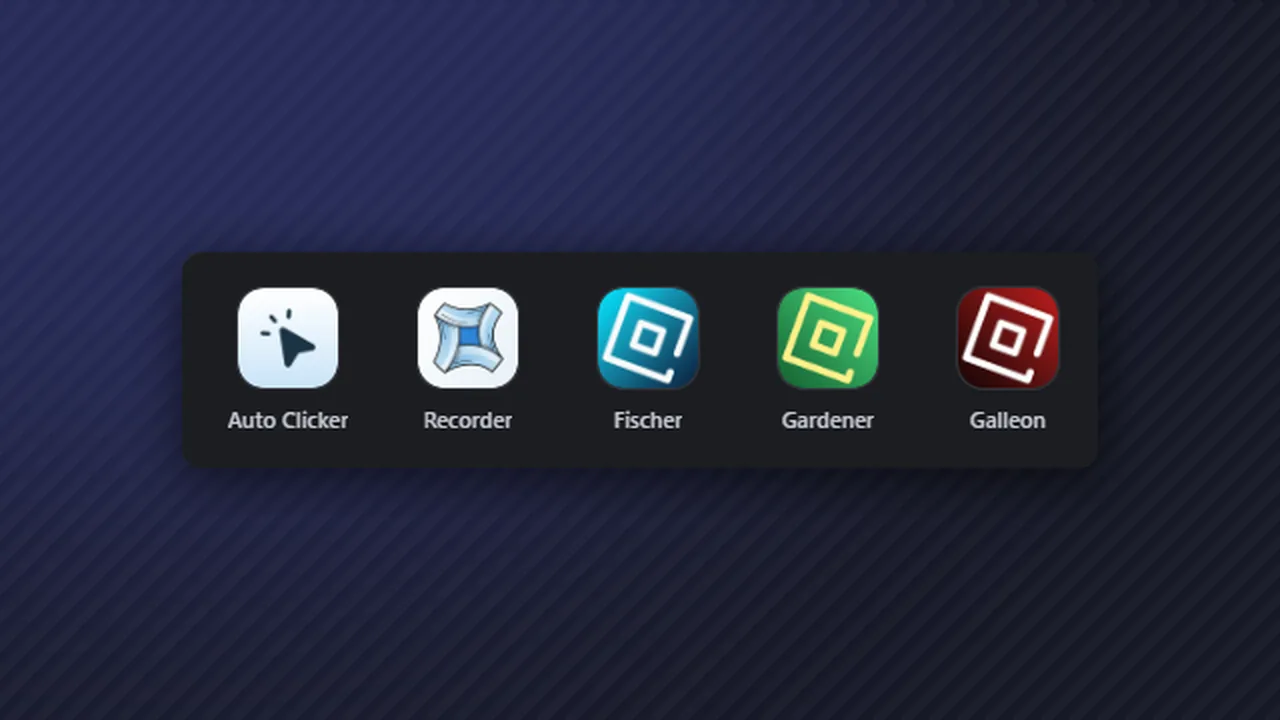
Most Roblox macros are built for Windows: AutoHotkey scripts and TinyTask don't run on macOS. ExoPanda is the exception. Its hub runs natively on macOS (macOS 11 Big Sur or later, Apple Silicon or Intel, Apple-notarized), and ExoPanda makes three free tools that cover almost everything a Roblox player needs on a Mac:
Game-specific macros with detection built in, including Fisch, Grow a Garden and Sailor Piece. Same app and settings as on Windows.
A free TinyTask alternative for Mac. Record your mouse and keyboard, then replay it with adjustable speed, loops and global hotkeys. Full guide.
A standalone Mac auto clicker with randomized intervals, hold and toggle modes and custom keybinds. Full guide.
How to set up ExoPanda on a Mac
- Download the Mac versionGet it from the official page at exopanda.com/downloads. Avoid re-uploads.
- Move it to ApplicationsOpen the .dmg and drag the app into your Applications folder.
- Allow the permissionsmacOS will ask for Accessibility (so the app can send clicks and keys) and Input Monitoring (so it can record or listen for hotkeys). Turn both on in System Settings → Privacy & Security.
- Pick your game or toolOpen the game's macro in the hub, or use the Recorder or Auto Clicker for anything else.
If you want to automate things outside of Roblox, macOS also has good built-in tools. The rest of this guide covers those.
What Is a Macro on Mac?
A macro is a recorded or programmed set of actions that your Mac can replay automatically.
Macros can include:
- Mouse clicks
- Keyboard presses
- App launches
- Delays and loops
- Repeating actions
Once set up, one key or button can do the work of many actions.
Why Use Macros on macOS?
Learning how to macro on Mac is useful for many reasons:
- Saves time on repetitive tasks
- Helps with AFK or idle workflows
- Improves productivity
- Reduces human error
- Makes complex actions simple
macOS supports automation better than many people realize.
Built-In Way: How to Macro on Mac Using Automator
What Is Automator?
Automator is a free macOS app made by Apple that lets you automate tasks without coding.
Found in: Applications → Automator
Step-by-Step: Create a Simple Macro with Automator
- Open Automator
- Choose Quick Action
-
Set:
- Workflow receives current: No input
- In: Any application
-
Add actions like:
- "Run AppleScript"
- "Pause"
- "Open Application"
- Save the macro
- Assign it a keyboard shortcut in System Settings
Best for: system actions, file handling, and app control
Not ideal for: mouse clicking in games
How to Macro on Mac Using Keyboard Shortcuts
macOS allows you to bind macros to keys:
- Open System Settings
- Go to Keyboard → Keyboard Shortcuts
- Select App Shortcuts
- Add your macro
- Assign a key combination
This method is great for:
- Text expansion
- Menu commands
- App-specific shortcuts
Best Third-Party Apps to Macro on Mac
For advanced macros (mouse clicks, loops, AFK tasks), third-party tools work best.
1. Keyboard Maestro (Most Popular)
Keyboard Maestro is the gold standard for Mac macros.
Features:
- Mouse clicks
- Key presses
- Loops
- Timers
- Conditions
- App-specific macros
Best for: power users, gamers, productivity
Official site: https://www.keyboardmaestro.com
2. BetterTouchTool
Great for:
- Trackpad gestures
- Mouse buttons
- Keyboard shortcuts
- Window automation
Best for: trackpad and mouse macros
3. Auto Clicker Tools for Mac
If your goal is AFK or idle clicking:
- MurGaa Auto Clicker
- Mac Auto Clicker
- iClickMac
These tools specialize in mouse automation.
How to Macro on Mac Using Keyboard Maestro (Step-by-Step)
- Install Keyboard Maestro
- Open the app
- Click New Macro
-
Choose a trigger:
- Keyboard shortcut
- Timer
- Hotkey
-
Add actions:
- Type keystrokes
- Click mouse
- Pause for seconds
- Enable the macro
- Test it safely
Tip: Add delays to make macros more natural and stable.
How to Make an AFK Macro on Mac
AFK macros are popular for:
- Idle games
- Long waits
- Repetitive clicking
Safe AFK Macro Setup
- Mouse click every 5–15 seconds
- Use low repetition speed
- Avoid clicking purchase buttons
- Keep macros simple
Always check app or game rules before using macros.
Is It Safe to Macro on Mac?
Generally, yes — macros are legal and safe on macOS.
However:
- macOS may ask for Accessibility permissions
- Some games or apps forbid automation
- Abuse or exploiting can cause bans (app-specific)
Productivity macros = safe
Exploit macros = risky
Common Problems When Macros Don't Work
- Macro not clicking? Enable Accessibility permissions
- Shortcut not triggering? Check for key conflicts
- App not responding? Add delays between actions
- Mouse clicking wrong area? Use relative positions or screen anchors
Conclusion: Mastering How to Macro on Mac
Learning how to macro on Mac opens the door to faster work, smoother workflows, and less repetition. Whether you use Automator for simple tasks or Keyboard Maestro for advanced automation, macOS gives you powerful tools to work smarter, not harder.
Start small, test safely, and build up your macros over time — your future self will thank you.
FAQ
Can you macro on Mac without downloading apps?
Yes, Automator and Shortcuts can handle basic automation.
What is the best macro software for Mac?
For Roblox, ExoPanda: its hub has native Mac game macros, and ExoPanda Recorder is a free TinyTask alternative for Mac. For general Mac automation outside games, Keyboard Maestro is the most powerful and reliable.
Does TinyTask work on Mac?
No. TinyTask is Windows-only. On a Mac, use a record-and-replay tool like the free ExoPanda Recorder instead. See TinyTask for Mac.
Are macros allowed on Mac games?
macOS allows them, but individual games may not.
Can macros control the mouse on Mac?
Yes, with third-party tools and Accessibility access.
Do macros work on M1/M2/M3 Macs?
Yes, most modern macro apps fully support Apple Silicon.
Is learning how to macro on Mac hard?
No. Basic macros take only a few minutes to learn.