- Home
- All macros
- Grow a Garden
Grow a Garden Macros
Automated planting, harvesting, and selling for efficient garden management
Grow a Garden Macro Comparison
| Macro | Type | Platform | Price | Made by |
|---|---|---|---|---|
| ExoPanda Grow a Garden Macro | Standalone app | Windows, Mac | Free version | ExoPanda |
| Grow a Garden Macro by epicisgood | Standalone app | Windows | Free | epicisgood |
| Cobalt Macro v2 | AutoHotkey | Windows | Free | Clovalt |
Every Grow a Garden Macro We Cover
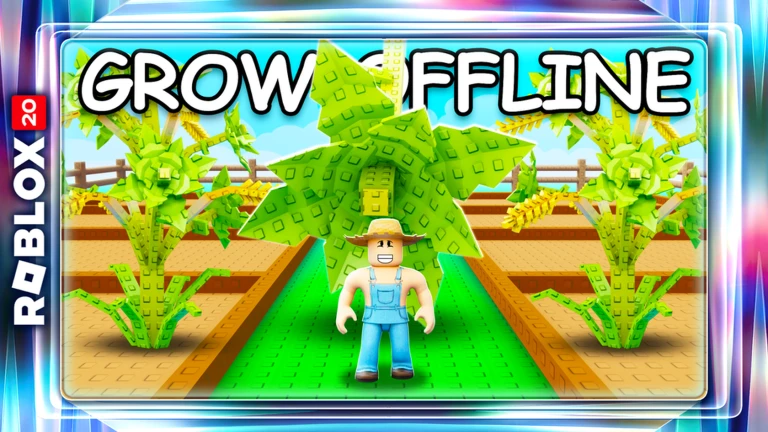
Grow a Garden is a farming simulator on Roblox where players plant, grow, and sell crops. These macros automate the repetitive planting and harvesting cycle, allowing you to maximize your garden's productivity while AFK.
What is Grow a Garden?
Grow a Garden is a farming and crafting game on Roblox where players plant seeds, grow crops, and build their garden empire. The game features an extensive crafting system, cooking mechanics, gear upgrades, and a traveling merchant system.
Players progress by growing and selling crops, crafting items, completing quests, and upgrading their tools. The game has a satisfying progression loop but requires significant grinding to unlock late-game content and rare items.
Grow a Garden has become popular for its relaxing gameplay and deep systems. However, the repetitive nature of buying from shops, crafting items, and managing the traveling merchant makes it ideal for macro automation.
Game Link: Play Grow a Garden on Roblox
Why Use a Grow a Garden Macro?
Grow a Garden involves repetitive tasks like buying items from every shop, crafting materials, and waiting for the traveling merchant. These tasks require constant clicking and menu navigation, especially in the late game when you need to craft gear and manage multiple systems.
The ExoPanda Grow a Garden macro is the recommended automation tool for this game. It's a complete automation suite that handles nearly every repetitive part of the game:
Aligns your camera, moves through each shop, and automatically buys everything available. You can disable specific shops or tools you want to keep untouched.
Automatically detects what items are needed, crafts them repeatedly, identifies heat levels, and processes crafting menus without user input.
Automatically purchases from the traveling merchant when it appears, so you never miss rare items.
Sends activity updates directly to your Discord server: crafting completed, merchant purchases, rejoins, errors, and cycle completions.
Handles the cooking system automatically for food crafting.
Automatically rejoins your private server if you disconnect, ensuring uninterrupted farming.
This makes it the closest thing to a full AFK automation system for Grow a Garden. The macro is open source and available on GitHub with frequent updates.
Requirements & Setup
The macro is built for Windows.
Download from autohotkey.com.
Standard resolution for pixel detection.
Common Setup Issues
The macro doesn't require special configuration, but these settings can prevent it from working correctly:
- HDR must be disabled - Turn off HDR in your display settings.
- Display scale must be 100% - Check Windows display settings.
- Use default Roblox font - Custom fonts affect UI detection.
Related Guides
Are Macros Allowed on Roblox? Learn about Roblox's stance on automation tools.
Grow a Garden Macro FAQ
What can the macro automate?
The macro can automate shop buying, crafting, traveling merchant interactions, and more. Check the macro detail page for the full feature list.
Is the macro open source?
Yes, the epicisgood macro is open source and available on GitHub. You can review the code before using it.
Will it work after game updates?
Game updates may temporarily break the macro. The developer actively maintains it, so check for updates after major game patches.