- Home
- All macros
- Bee Swarm Simulator
Bee Swarm Simulator Macros
AI-powered automation tools for the legendary Roblox bee game
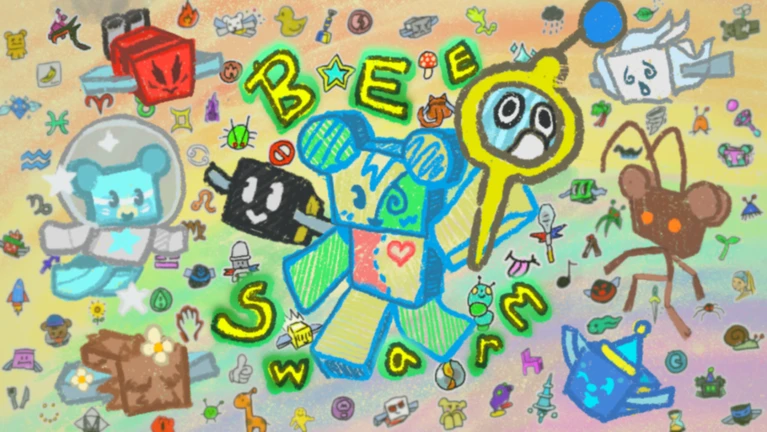
Every Bee Swarm Macro We Cover
Browse our collection of Bee Swarm Simulator macros featuring AI-powered gathering, planter automation, and cross-platform support. Each guide includes setup instructions and feature explanations.
What is Bee Swarm Simulator?
Bee Swarm Simulator is one of the most iconic and long-running games on Roblox, with billions of visits since its 2018 launch. Players collect bees, grow their hive, and gather pollen from various fields to make honey. The game features dozens of bee types, each with unique abilities, and an extensive progression system that can take months or years to complete.
The core gameplay involves walking through fields while your bees collect pollen, then converting that pollen into honey at your hive. Players can purchase new bees, upgrade their equipment, complete quests, and unlock new areas. The game also features special events, boss fights, and a complex crafting system.
Bee Swarm Simulator has maintained its popularity due to regular updates, a dedicated community, and incredibly deep gameplay systems. However, reaching endgame content requires hundreds of hours of grinding: making it one of the most macro-friendly games on Roblox.
Game Link: Play Bee Swarm Simulator on Roblox
Why Use a Bee Swarm Simulator Macro?
Bee Swarm Simulator is notorious for its grind. Reaching endgame content can take 1000+ hours of active play. The gameplay: walking through fields while bees collect pollen: is inherently repetitive and well-suited for automation.
A BSS macro automates the grinding process:
Intelligently collect tokens that drop from bees and abilities.
Automatically plant and harvest planters for bonus rewards.
Complete bug runs automatically for valuable materials.
Works on both Windows and Mac: rare for Roblox macros.
The macro doesn't give you any abilities you wouldn't have manually: your bees still collect pollen at the same rate. It simply automates the walking and token collection.
How the Macro Works
The Revolution Macro is one of the most advanced Roblox macros available, featuring AI-powered systems:
AI Token Gathering
Unlike simple macros that follow preset paths, Revolution uses AI to detect and collect tokens on screen. This means it adapts to different field layouts and token spawn patterns.
Planter Studio
The macro includes a full planter management system: automatically planting planters in optimal locations, harvesting them when ready, and rotating through your planter inventory.
Full GUI
Revolution features a complete graphical interface for configuration: no editing config files. You can customize every aspect of the macro's behavior through the GUI.
Discord Webhooks
Get notifications about your farming progress, rare drops, and session statistics sent directly to Discord.
Requirements
Revolution Macro supports both platforms: one of the few Roblox macros with Mac support.
Some advanced features require Python. Check the setup guide for details.
Check the macro's requirements for supported resolutions.
Related Guides
Are Macros Allowed on Roblox? Learn about Roblox's stance on macros.
Bee Swarm Macro FAQ
Is it safe to use macros in Bee Swarm Simulator?
BSS has a large macro-using community. The game developer (Onett) has not aggressively banned macro users, though this could change. Many players have used macros for years without issues.
Can I really use this on Mac?
Yes! Revolution Macro is one of the few Roblox macros with genuine Mac support. Check the setup guide for Mac-specific instructions.
Which field should I farm?
This depends on your hive color (red, blue, or white) and current progression. The macro's Discord community has detailed guides for optimal farming strategies.