ExoPanda Anime Expeditions Macro
The free Anime Expeditions auto farm macro, and how to set up every mode, upgrade option and auto-craft
Install ExoPanda, open Apps and install ExoPanda Expeditions, then paste in a free key. Let the macro resize Roblox and don’t resize it again. Pick your farm target (Story, Raid or Event) and stage, join it, press Align Camera, then Calibrate Units and save your team. Set your upgrade keys in Settings to match the game, go back to the lobby, and start the macro.
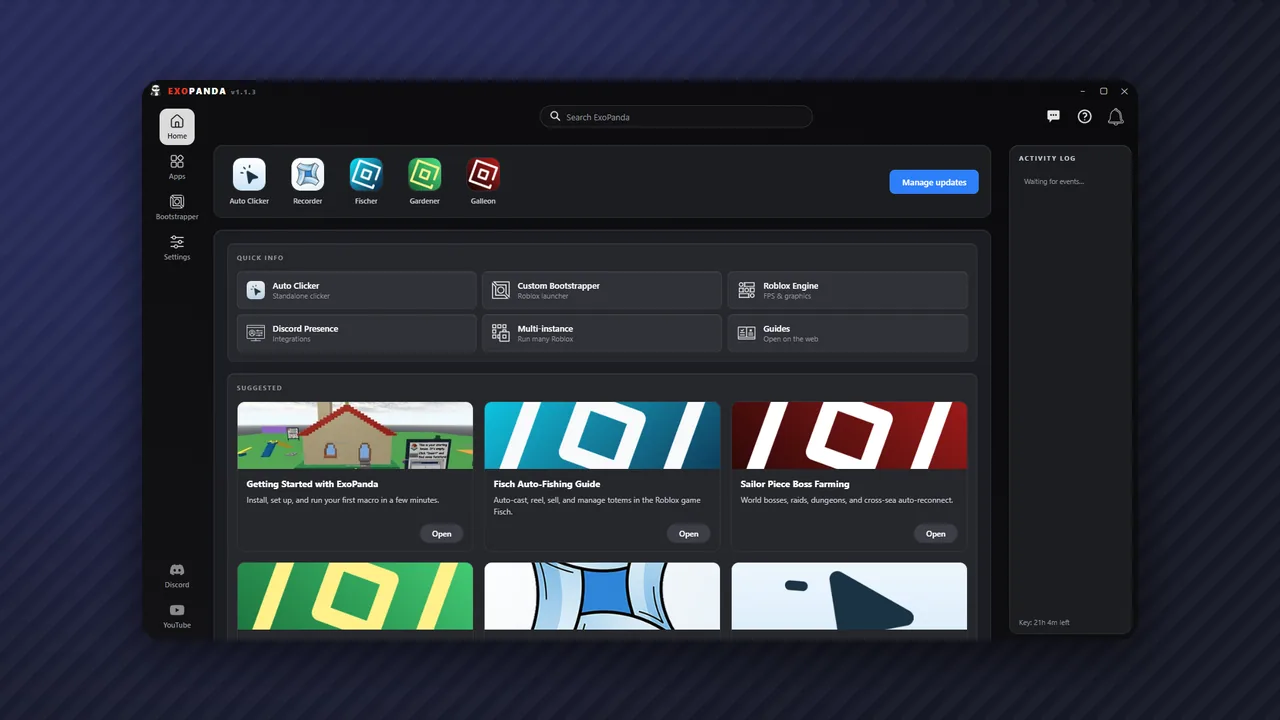
The ExoPanda Anime Expeditions macro (called ExoPanda Expeditions in the hub) is a free auto farm macro for Anime Expeditions. It places your saved team, upgrades units in the order you choose, detects when the round ends and replays it, for Story, Raids, Events and the Expedition mode. It can even leave the stage to craft sprites and come back, so a single AFK session keeps every evolution material topped up.
It runs from the same ExoPanda hub as the Fisch, Scrooms and Slayers 2 macros, and it's screen-based: it reads the Roblox window and sends normal clicks and key presses.
What the Anime Expeditions macro does
Pick a mode and stage, and it farms it on a loop. Great for raid tokens and event coins.
Plays the cart-defense Expedition mode at the difficulty you pick, with checkpoint extraction.
Upgrade All, Timeline or Per Unit modes, plus a Unit Manager for upgrade priorities.
Record your own run, including upgrades and selling, and it replays it perfectly.
Farms Mastery, returns to the lobby, crafts sprites and repeats, rotating through every color.
Watches the hotbar to know when a round has really ended, so the loop never drifts.
Requirements
How to install the Anime Expeditions macro
- Download ExoPandaGet it from exopanda.com/downloads and run the setup tool. It pulls the newest version and installs everything.
- Install ExoPanda ExpeditionsIn the hub, open Apps, find Anime Expeditions and click Install. You can also favorite it or add a desktop shortcut.
- Get your free keyGo to exopanda.com/getkey, watch a short ad and paste the key into the hub.
How to set it up
- Let it resize RobloxThe macro sets Roblox to a fixed window size. Don't resize it afterwards, but feel free to move it anywhere, even onto one monitor next to the app.
- Set your keybindsIn Settings, set the upgrade unit key, the auto-upgrade key and the sell key to match your in-game binds. The single-upgrade and auto-upgrade keys are often different.
- Choose your farm targetPick Story, Raid or Event, then the stage.
- Join the stage and press Align CameraPress it again if the view looks wrong.
- Calibrate Units and save the teamCalibrate Units maps each keyboard slot to where it gets placed. Place your team and save it. Each stage needs its own saved team.
- Pick an upgrade modeSee the options below.
- Go to the lobby and startAlways start the macro from the lobby, not mid-stage.
Upgrade modes explained
| Mode | How it works | Best for |
|---|---|---|
| Upgrade All | Places your units, then keeps pressing your upgrade key on all of them. | Simple stages and strong teams |
| Timeline | Upgrades units by priority within time windows you set. | Money-first strategies |
| Per Unit | For each unit: auto upgrade, a set number of manual clicks, or skip, in placement order. | Fine control |
| Custom run | Replays a run you recorded, including upgrades, auto-upgrades and selling. | Raids and hard stages |
A Timeline example
Put your money units at max level for the first 90 seconds so your income ramps up early. From around 1:30, switch to your mage and boost units, then your main damage unit for the rest of the run. The timings are approximate, but it still works well.
Unit Manager priorities
The Unit Manager sets which units upgrade first. A good default: money units at priority 1, your main damage unit at 2, and everything else at 3. The macro maxes priority 1 first, then 2, then the rest.
How to record a custom run
For raids and tougher stages, recording your own run gives you the most control. The record hotkey is F7 by default.
- Name the runCreate a custom run, for example "Raid 3".
- Press F7 to start recordingPlay the round normally: place, upgrade, set units to auto upgrade and sell if you need to.
- Press F7 again to stopYou don't have to time it to the end of the round. The macro detects the end using the hotbar before it loops.
- Save it and start from the lobbyThe macro now replays your run every round.
Start your recording by restarting the stage. That lets you place a money unit before wave 1 actually begins, so you can have two money units down by wave 1 instead of one.
Auto Expedition mode
Auto Expedition plays the Expedition (cart-defense) mode on its own. Choose the difficulty, turn on checkpoint extraction if you want it, and switch off the other modes. Each Expedition config has a short preview clip showing its placements and upgrades, and Edit Team lets you check or change the team it uses. Make sure the selected config was made for Expeditions; the macro warns you if you've picked a Story or Mastery config by mistake.
Sprite Auto-Craft
Sprite Auto-Craft farms Mastery for a set number of waves (20 by default, a little over 100 grey sprites), returns to the lobby, walks to the upgrade area, crafts, and goes back to farming. It covers the rainbow sprite and all six colored sprites, but not items like the Hex Blade or Holy Pendant. Our sprite farming guide covers the best stage and settings.
Troubleshooting
| Problem | Fix |
|---|---|
| "No saved team" | Calibrate Units and save a team for that stage. |
| Units placed in the wrong spots | Press Align Camera again and don't resize the Roblox window. |
| Nothing happens on start | Start from the lobby, and match the upgrade keys in Settings to your in-game binds. |
| Units never upgrade | Your upgrade and auto-upgrade keys don't match the game. Set both in Settings. |
| Strange behavior in Expeditions | A Story or Mastery config is selected. Choose the Expedition config and turn off other modes. |
| Stage missing from the list | Not every act is configured yet. Use the closest configured stage or record a custom run. |
| Antivirus removed files | Add the ExoPanda folder to your antivirus exclusions and restore the quarantined files. |
| Macro stops on its own | Your key ran out. Watch another short ad on the key page. |
Is the Anime Expeditions macro safe?
Yes. ExoPanda is virus-scanned and digitally signed, and this macro is screen-based: it reads the Roblox window and sends ordinary mouse and keyboard input, the same way you play. It never injects code or modifies game files. See is ExoPanda safe? for the full breakdown.
ExoPanda vs TinyTask for Anime Expeditions
A TinyTask recording is a fixed timeline. If you clear a stage in 2:30 one time and 3:00 the next, it doesn't know, and sooner or later it ends up clicking on a defeat screen for hours. ExoPanda checks the hotbar to confirm each round has ended before looping, and it can upgrade, craft and switch modes on top. For an overnight AFK session, that difference is everything.
FAQ
Is there an ExoPanda Anime Expeditions macro?
Yes. ExoPanda Expeditions is a free app in the ExoPanda hub that auto farms Story, Raids, Events and Expedition mode in Anime Expeditions, with upgrade priorities, custom runs and sprite auto-crafting.
Is the Anime Expeditions macro free?
Yes. It runs on the free ExoPanda key, which you get by watching a short ad on the key page.
Why does it say "no saved team"?
You haven't saved a team for that stage yet. Join the stage, press Align Camera, then Calibrate Units, place your team and save it. The macro won't start a stage without a saved team.
Why does it resize my Roblox window?
Detection is built around one fixed window size, which is what lets it work on any monitor resolution. Don't resize the window afterwards. You can still move it anywhere on screen.
Units are placed in the wrong spots. How do I fix it?
Press Align Camera again, and make sure you haven't resized the Roblox window. If it's still off, recalibrate and save the team again.
Nothing happens when I press start.
Start the macro from the lobby, not mid-stage, and check that your upgrade keys in Settings match your in-game keybinds.
Does it support Trials?
Not yet. ExoPanda plans to add Trials as pre-made configs. Since trials use the same units and maps, they'll just need to be switched on.
Does it work on Mac?
Not yet; Mac support is planned. The free ExoPanda Recorder already runs on macOS and can loop simple rounds in the meantime.
Is it better than TinyTask?
Yes, for tower defense. TinyTask replays a fixed timeline, so a faster or slower clear eventually breaks the loop. This macro checks the hotbar to detect when the round has actually ended before it starts again.